
API Request action manual
See the manual below for a basic explanation of AI agents.
What is the API Request action?
The API Request action requests information from external systems and performs tasks based on the response.
External systems may return arbitrary JSON, but using the recommended format in the Sidetalk manual helps the chatbot understand the response reliably and improve answer accuracy and quality.
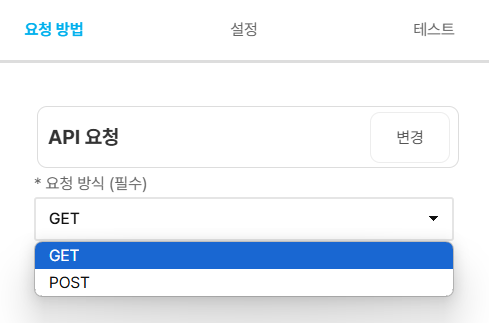
When you select a request method, the settings tab displays the input form for that method.
Reference previous action data
Insert data collected during agent execution, such as form submissions, API responses, or table query results, into request keys or values using this format.
{{$action[n].json.variable_name}}
Structure
- $action[n]: the result of the nth action executed by the agent
- .json: the JSON data object saved by that action
- .variable_name: the field to reference in that JSON object
In other words, {{$action[n].json.variable_name}} means
- “a specific value in the JSON data obtained from the nth action.”
Here, n refers to the agent’s execution order.
For example, to reference a value from the first executed action, enter:
{{$action[1].json.variable_name}}
Example
Suppose the first action’s response is as follows.
JSON
{
  "schema": "sidetalk.api-result.v1",
  "success": true,
  "summary": "검색 결과 1건",
  "data": {
    "items": [
      {
        "name": "서울지점",
        "status": "영업중"
      }
    ],
    "count": 1
  }
}
In that case, reference the values as follows.
{{$action[1].json.schema}}:sidetalk.api-result.v1- {{$action[1].json.summary}}: 1 search result
{{$action[1].json.success}}:true{{$action[1].json.data.count}}:1- {{$action[1].json.data.items[0].name}}: Seoul branch
API response format
See the documents below for response formats suited to your purpose.
1. General response format
See the document below to have the chatbot generate natural-language answers from ordinary data responses.
2. Card response format
See the document below to display responses directly as visual cards, such as text, image, or list cards.
Notes
- General responses are not displayed directly as card UI. The chatbot interprets their contents to generate natural-language answers.
- Card responses are displayed as cards as soon as they are returned.
- Return the data needed for API responses in a structure with clear meaning whenever possible.