How do I use the data sheet?
1. Introduction
Sidetalk lets administrators record and edit information received from customers.
Creating a table also creates its data sheet.
Record and edit data in the created data sheet.
Keyboard shortcuts (Ctrl + Enter: add row, Ctrl + S: save, Delete: delete selection, Ctrl + Shift + L: reset sorting)
2. Add data
- Add row
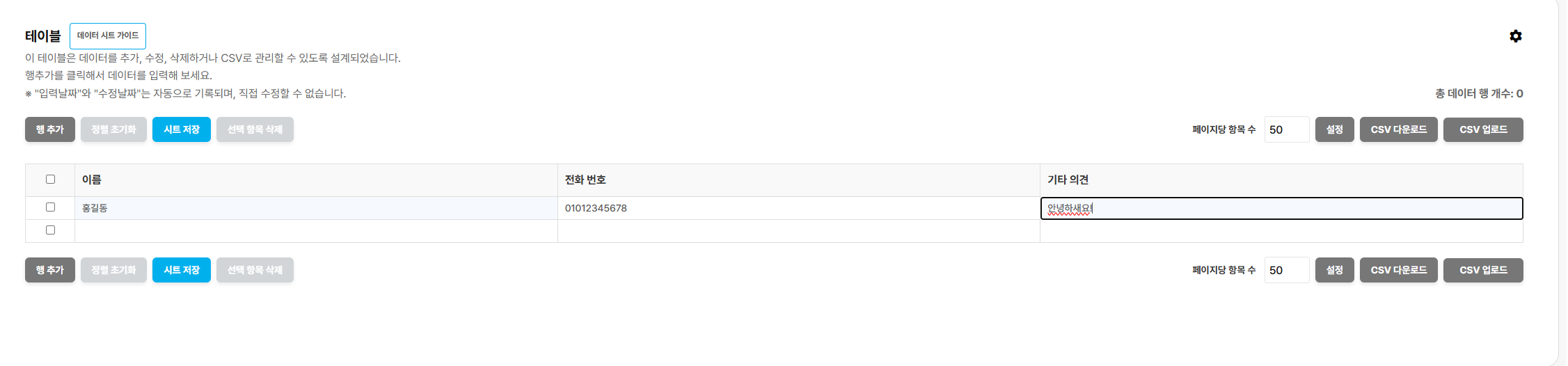 To add data, use Add Row to create an empty row, enter values in the appropriate columns, and save the sheet.
- Sort data
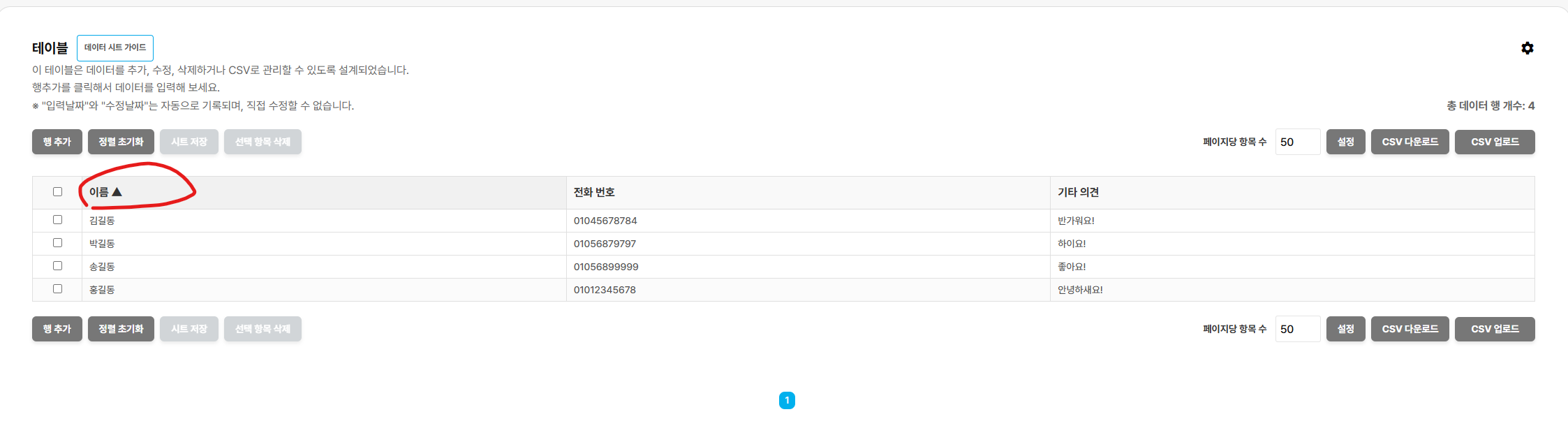
Click a column name to sort data in ascending or descending order.
2-1. Reset sorting
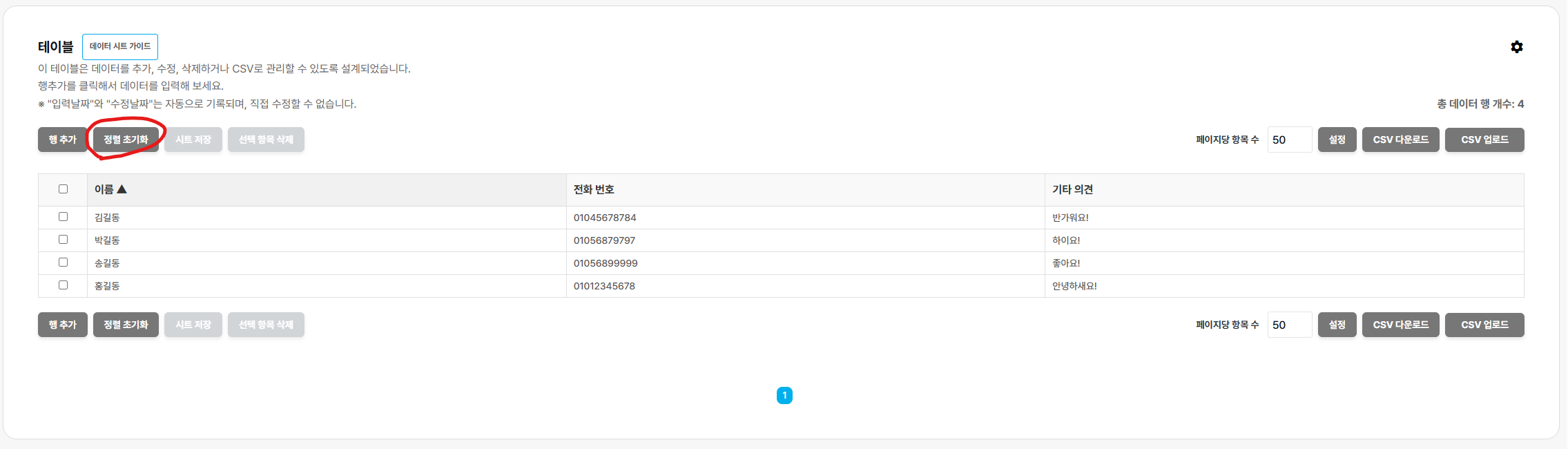
Click Reset Sorting to restore the original sort order.
- Delete data
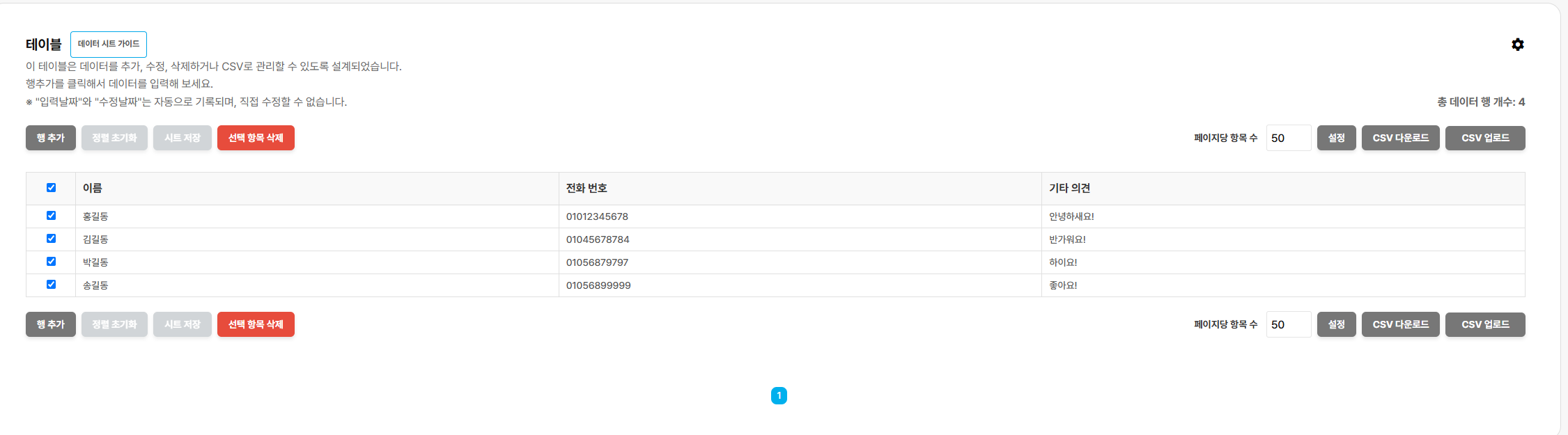 To delete data, select the relevant checkboxes and click Delete Selected Items.
- Show creation and modification dates
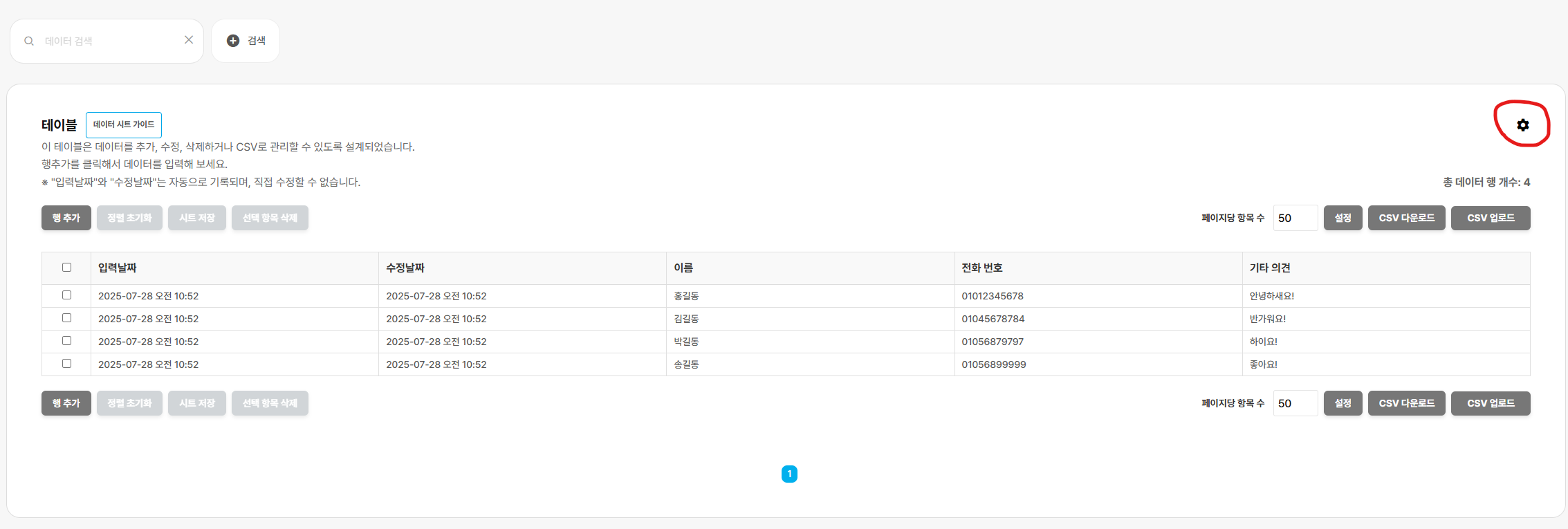
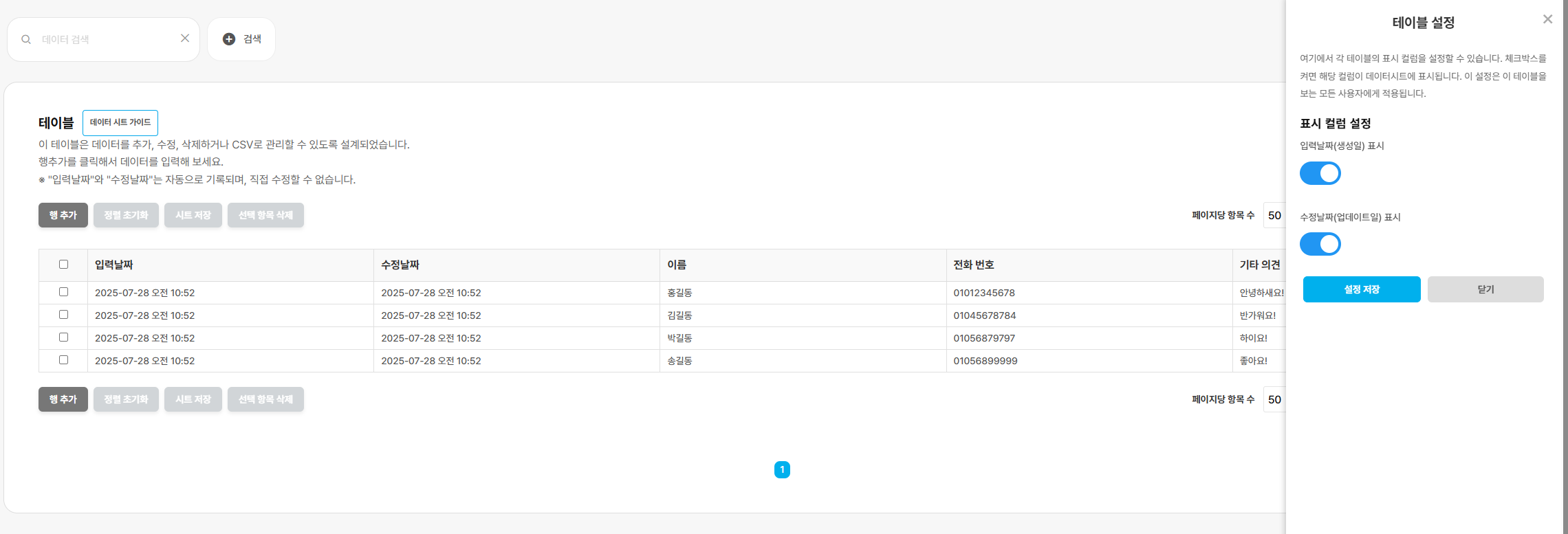 To show creation and modification dates, click the gear in the data sheet to open Settings, then select the dates you want displayed.※ Creation and modification dates cannot be edited.
5. Search
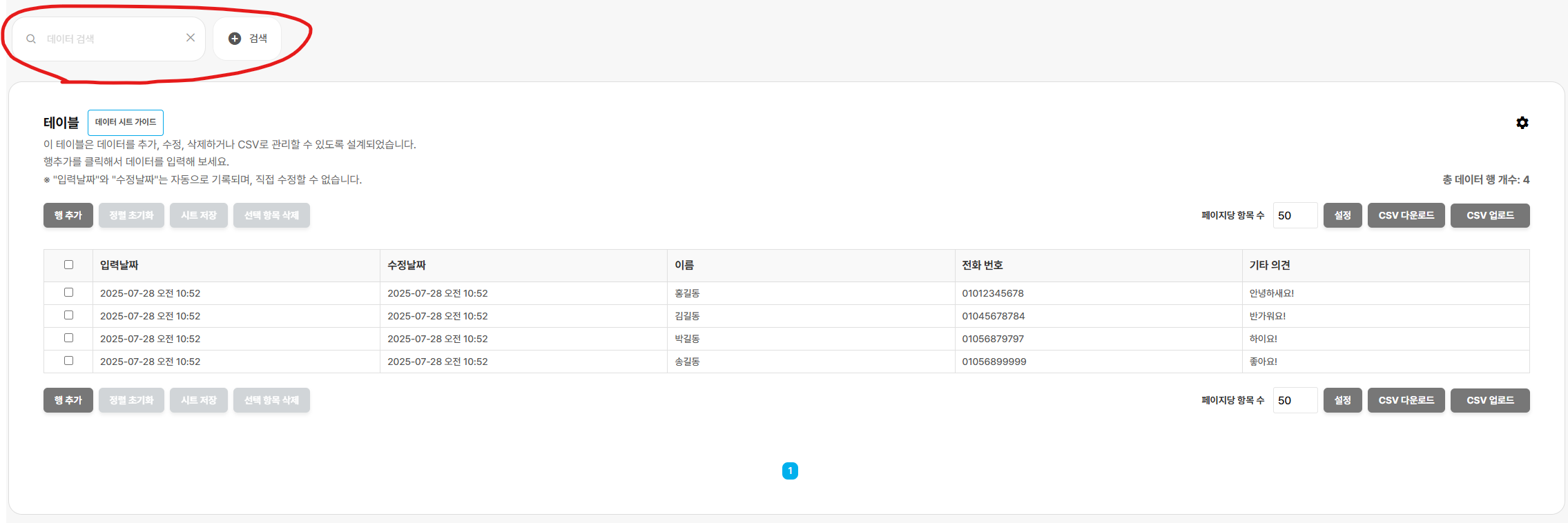
If there is too much data to find an entry easily, use search to locate what you need.
- Download CSV, upload CSV
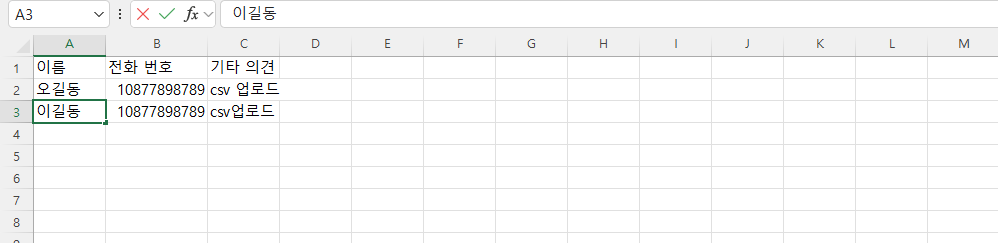
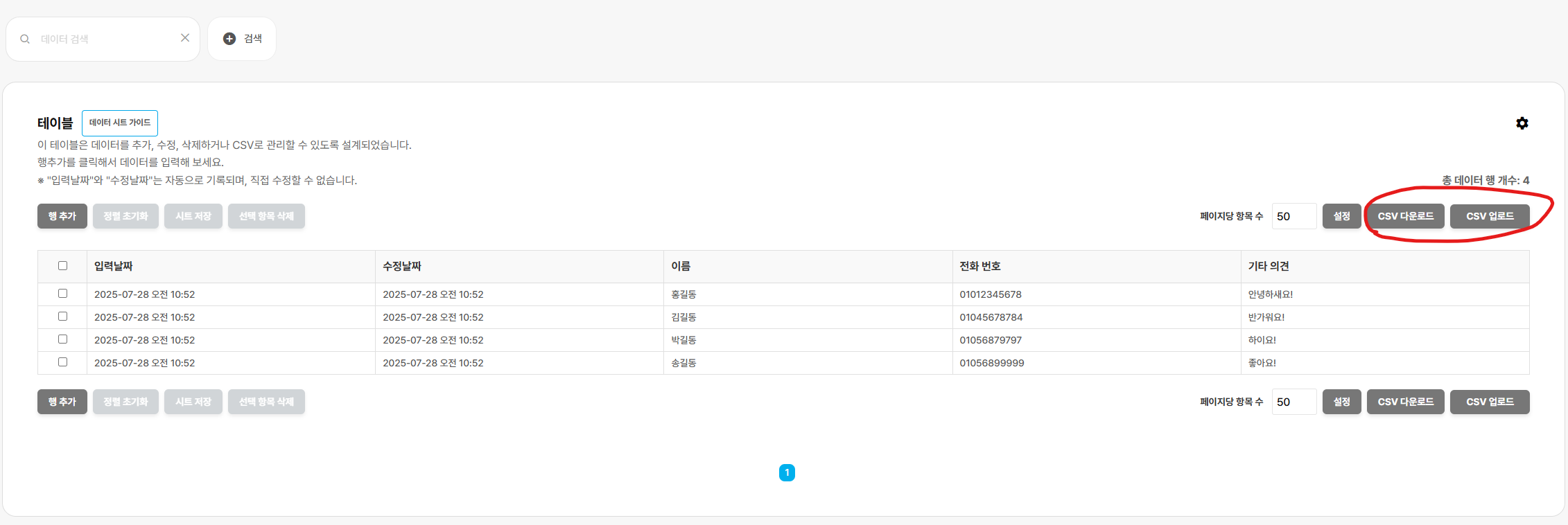 Use CSV download and upload to work with data files.Downloaded CSV files are saved automatically in your Downloads folder.※ CSV upload exampleMatch the column names when uploading a CSV.They must match the actual column names exactly for the upload to work.