
Naver TalkTalk integration guide
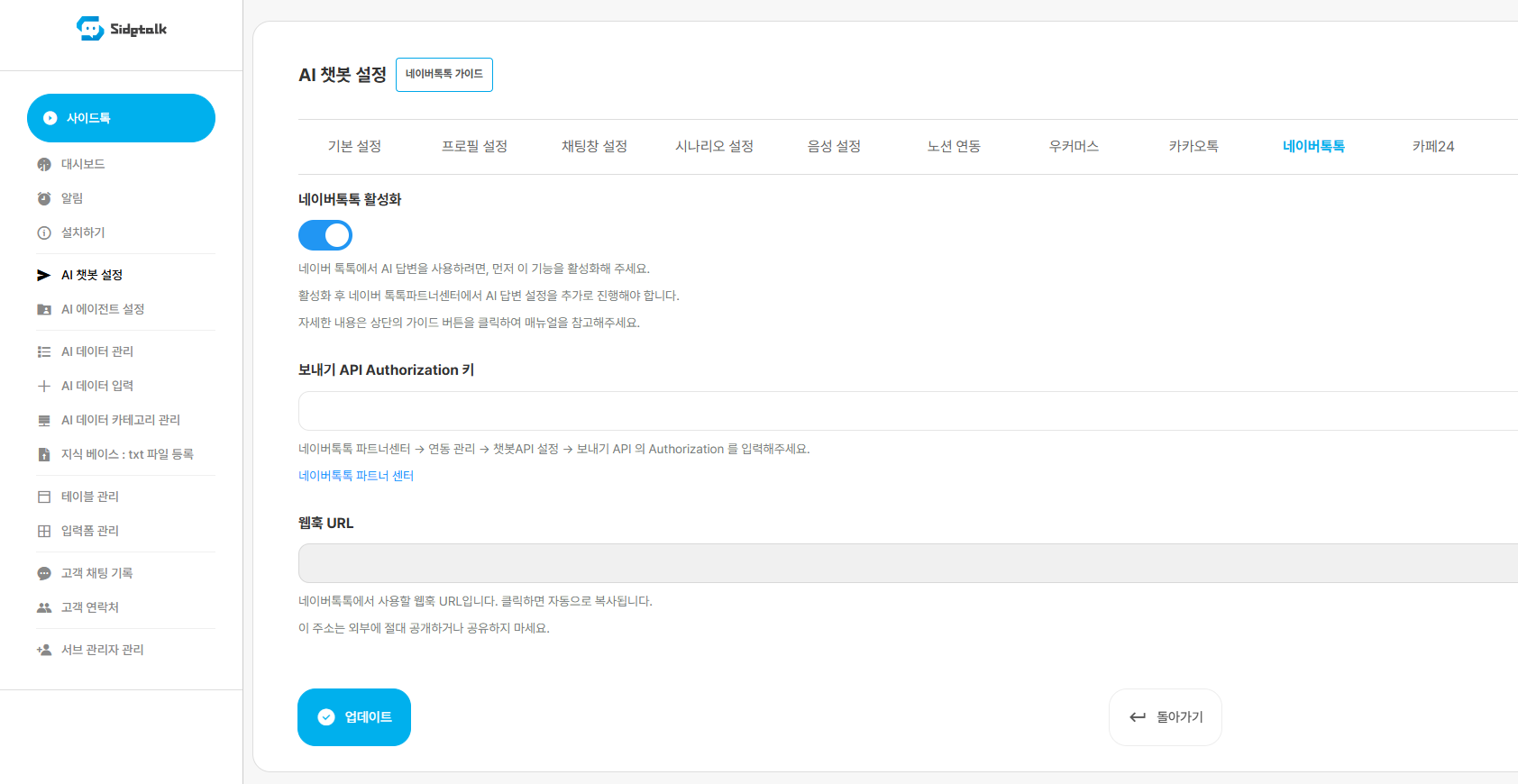
1. Enable Naver TalkTalk in Sidetalk.
In Sidetalk Dashboard → AI Chatbot Settings → Naver TalkTalk,
enable Naver TalkTalk.
2. Click the button below to open the Naver TalkTalk Partner Center.
3. Click Account Management to open the account management page.
If you have no TalkTalk account, create one. (Approval may take 1–3 days.)
4. Go to Integration Management → Chatbot API Settings.

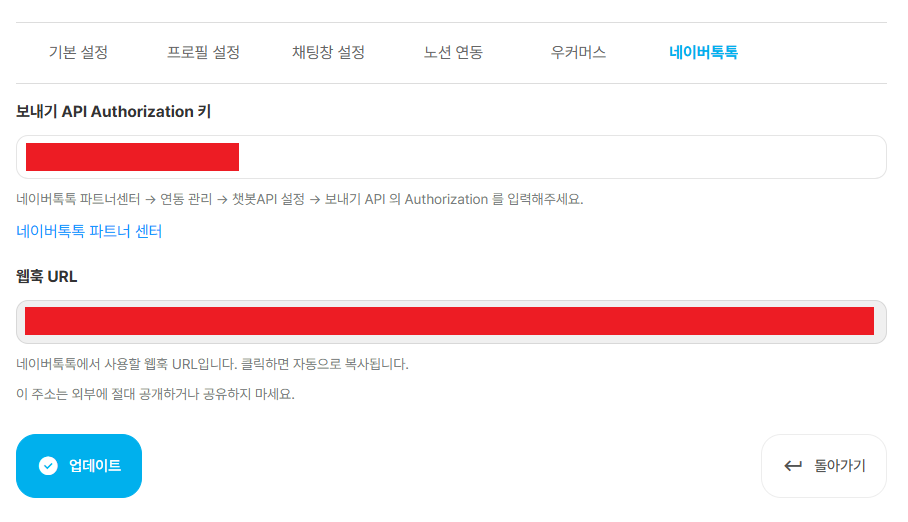
5. Enter the webhook URL. Find it in the Naver TalkTalk tab of AI Chatbot Settings in the Sidetalk dashboard.
※ Never publish or share the webhook URL.
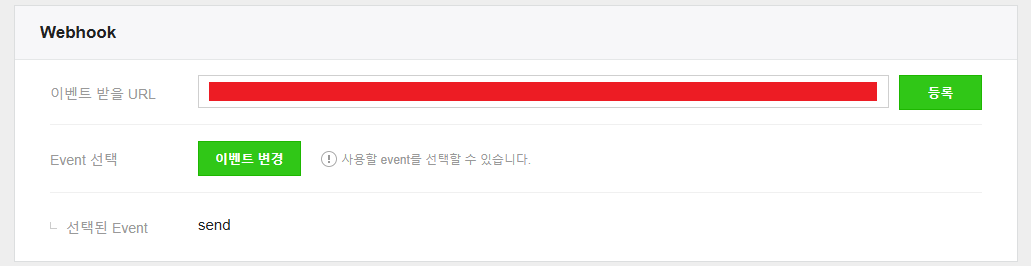
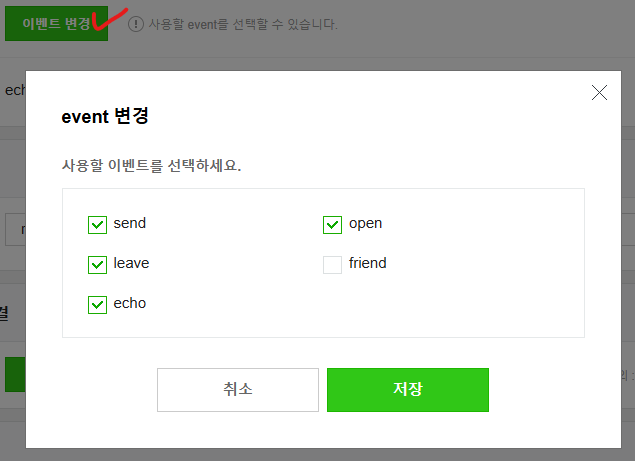
6. Click Change Event, select send, open, leave, and echo, and save.
7. Enter the Send API Authorization value in the Send API Authorization Key field in AI Chatbot Settings → Naver TalkTalk in the Sidetalk dashboard.
If there is no Authorization value, create one.

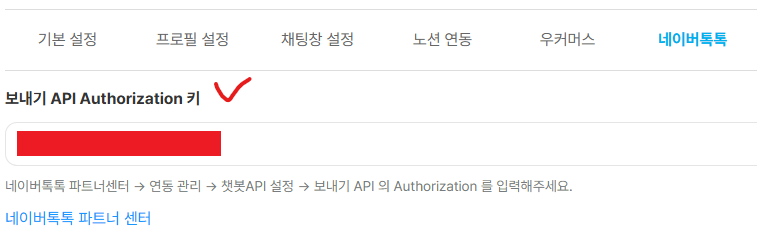
8. If the Handover API is OFF, switch it ON.

9. Check the Naver TalkTalk integration.
In Naver TalkTalk, simply check that answers appear correctly.
Repeated testing in Naver TalkTalk can leave earlier conversations in the same session and affect later answer generation. Even after changing the knowledge base or instructions, unwanted answers may persist because of previous test content.
Complete all Sidetalk settings first, then run full conversation tests in Sidetalk Chatbot Test.
10. AI mode and support agent mode switching policy
AI mode switches to support agent mode when:
The customer clicks Connect to Agent.
Support agent mode switches to AI mode when:
The agent clicks End Consultation.
The chat window is reopened after 120 minutes have passed since the agent’s last message.
The agent has not answered and the customer clicks Get AI Answer. (If the agent has answered even once, the agent must end the consultation or 120 minutes must pass.)
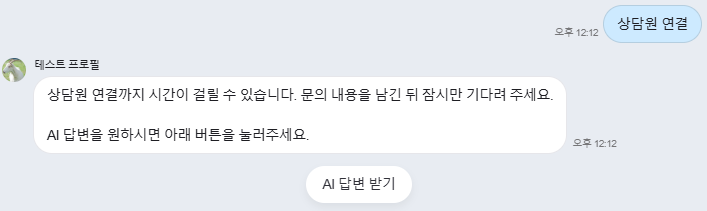
Screen shown to customers after clicking Connect to Agent
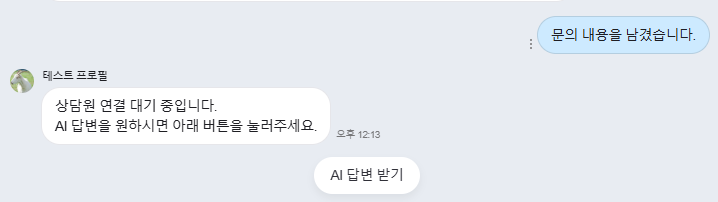
If no agent answer arrives after handoff, the customer sees Get AI Answer.

End Consultation button shown to agents
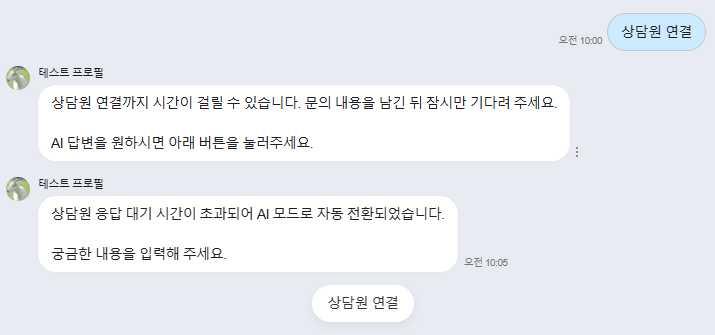
The chat window is reopened after 120 minutes have passed since the agent’s last message.