
What do forms do?
1. Introduction
Sidetalk lets administrators decide what information to collect from customers.
Forms collect the customer information administrators configure, which can then be used as needed.
2. Form creation steps
1. Choose a form name
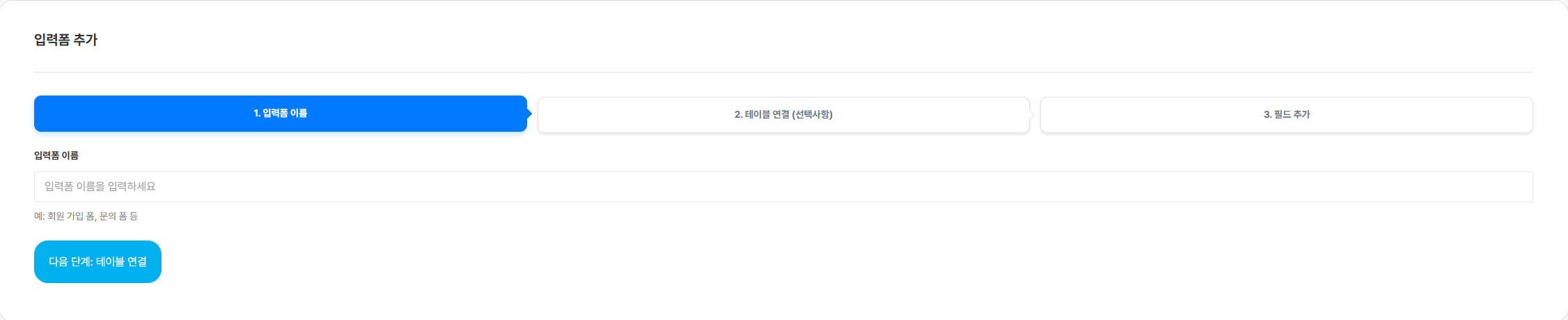
Choose a name for the form you will use.
You cannot proceed to the next step without specifying a form name.
- Connect to a table
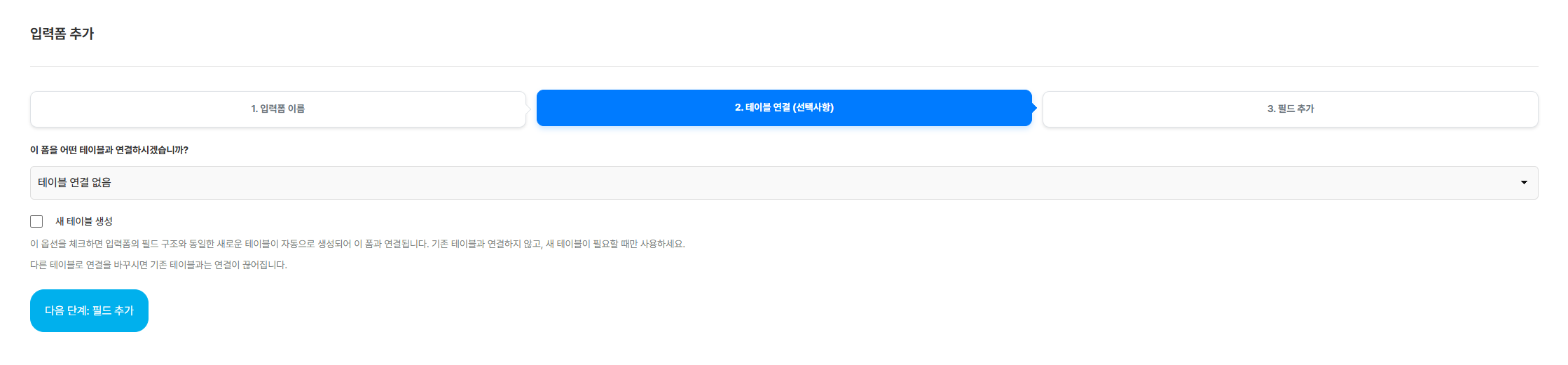
Connecting to a table links the form to a table that records information entered by customers,
so you can record their information in the data sheet.
2-1. Create a new table
Select New Table when creating a form to create a connected table with the same name as the form.
3. Customize the form
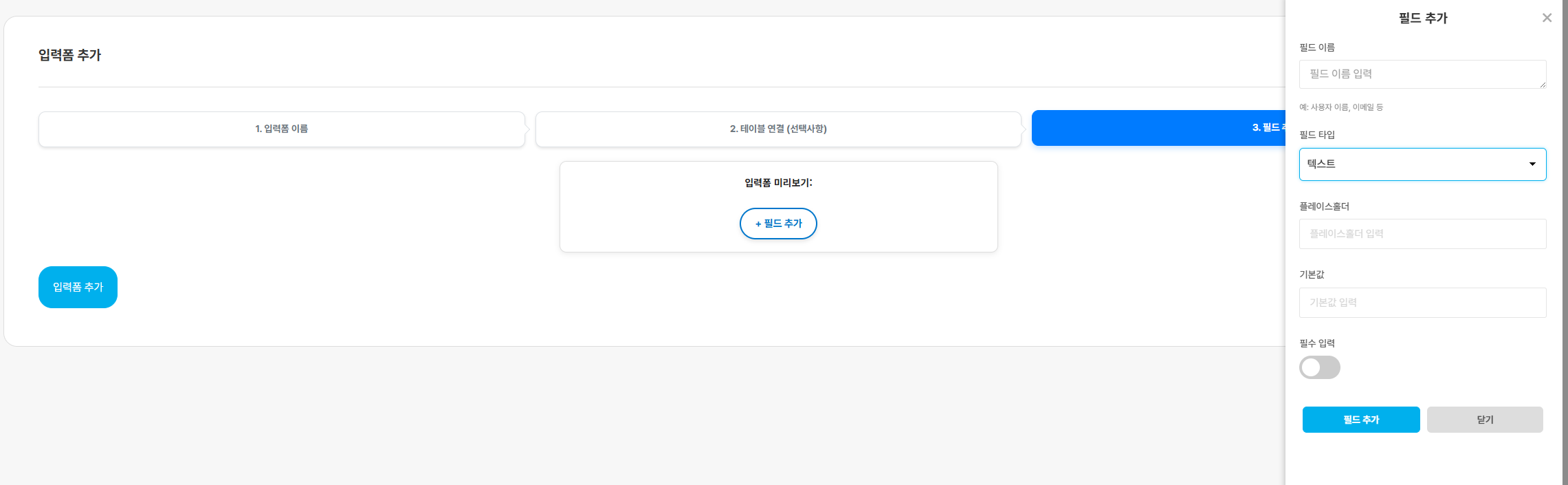
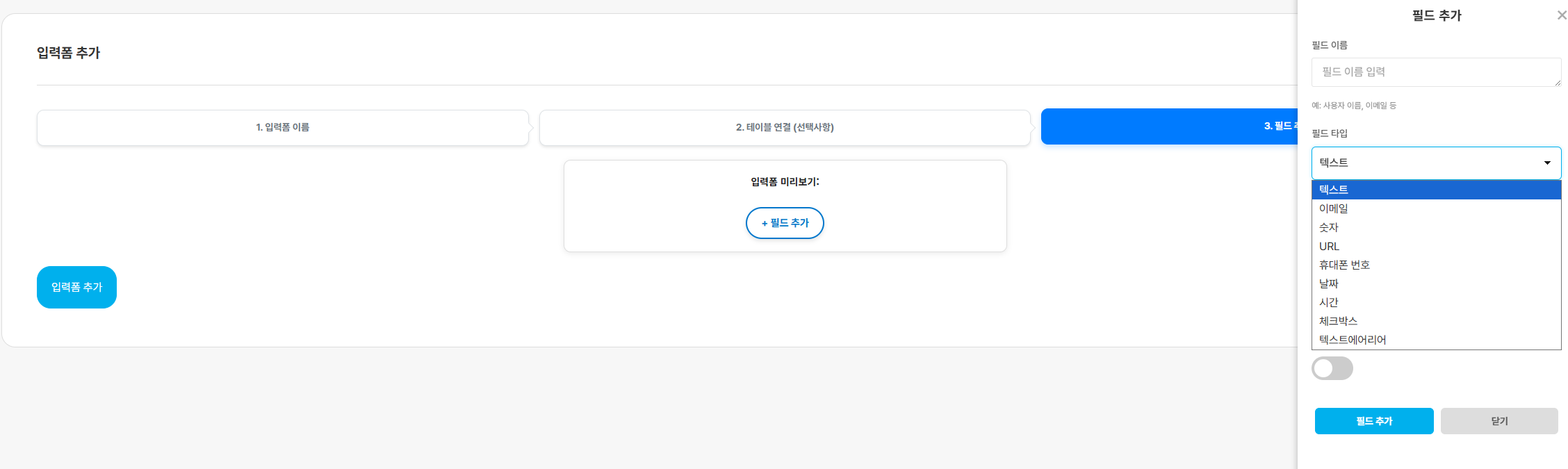
Create and edit the fields you want customers to fill in.