What is the AI agent feature?
What is an agent?
An agent acts like an assistant that automatically handles tasks for Sidetalk. When a specified situation or condition occurs, it performs predefined tasks automatically.
For example, Sidetalk can automatically provide weather information when someone asks, “How is the weather today?”
Key terms
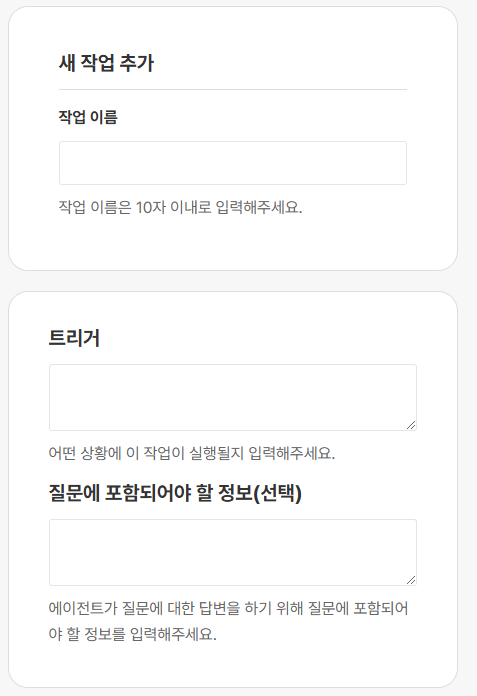
- Task name
- Give this task a short, clear name. Example: “Weather Info”
- Trigger
- A trigger defines when and under what conditions Sidetalk should run a task.
- For example, enter “Run when someone asks about the weather,” and the task runs when a user asks about the weather.
- Information required in the question
- This field specifies what information the user must include in their question for the task to run.
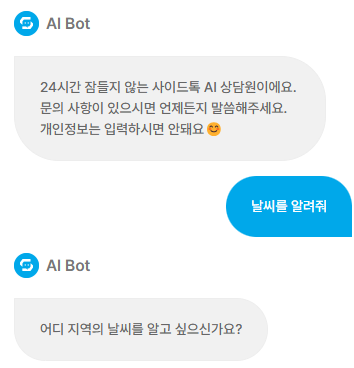
- If you enter “Location” as required information, the agent responds to “Tell me the weather,” but asks the user for a location because it is missing. (See the image below.)
- Add Action button
- Click this button to add a new task.
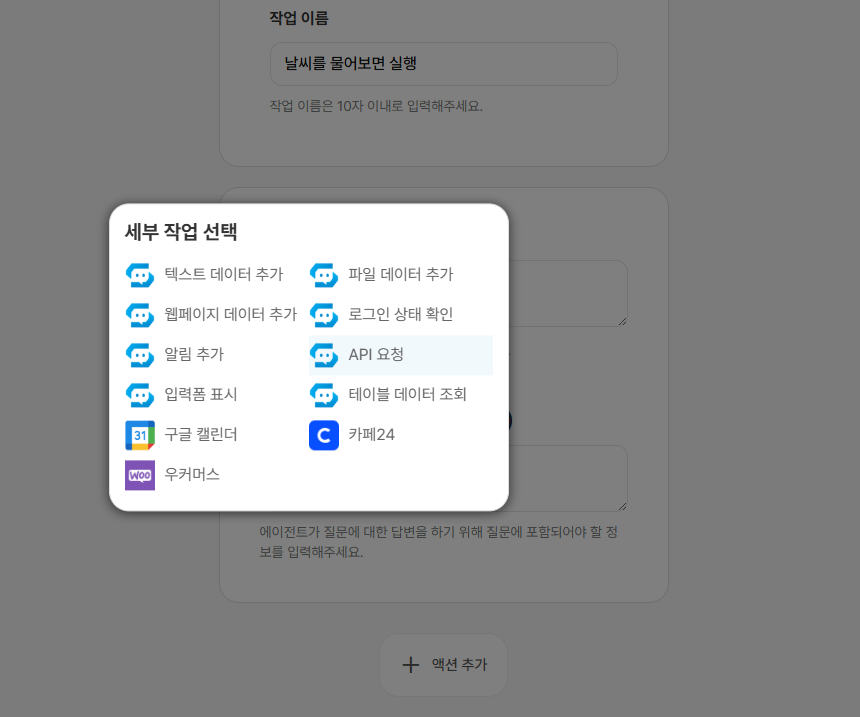
Available actions
※ Contact customer support if you need another service or feature integrated.