How do I configure a scenario-based chatbot?
You can operate a scenario-based chatbot instead of a conversational chatbot.
After setting the top-interest questions,
configure suggested questions for the data,
and run a scenario-based chatbot where customers ask questions and solve problems by clicking.
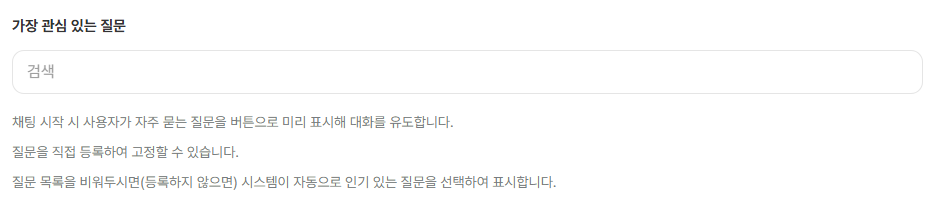
1. Set top-interest questions
Displayed first
In the Sidetalk dashboard,
In AI Chatbot Settings → Flow,
search for and select registered data under Top-interest Questions.
You can select several entries.
Only data previously registered in AI Data Management can be searched for and added.
※ Click added data to open its editing screen → and configure suggested questions.
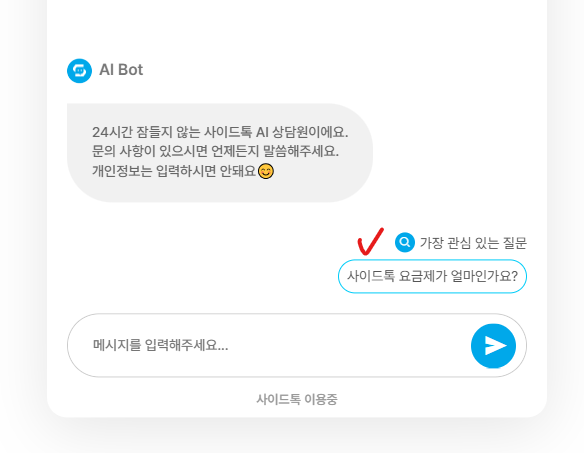
This is how it appears in the chatbot’s chat window.
Top-interest questions appear so customers can click instead of typing a question.
2. Configure suggested questions for data
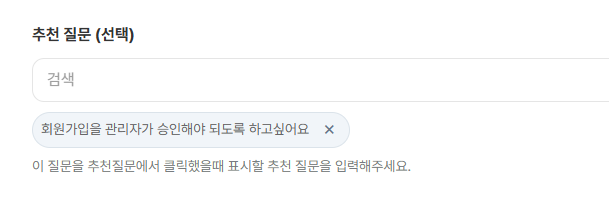
Add suggested questions on the editing screen for data registered in AI Data Management.
※ Click added data to open its editing screen → and configure suggested questions.