
What features does the dashboard offer?
1. Chatbot performance summary
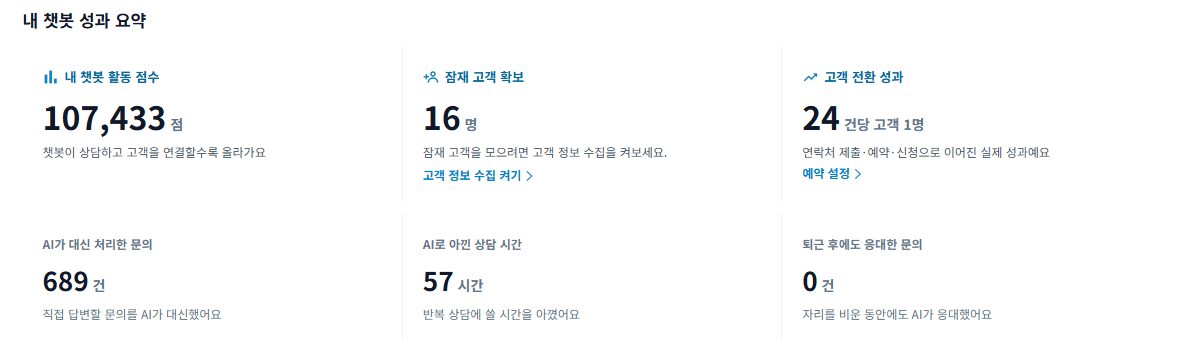
See chatbot activity scores, leads, and customer conversion results at a glance. It also shows inquiries handled by AI, support time saved, and inquiries answered after work hours.
2. Credit usage statistics
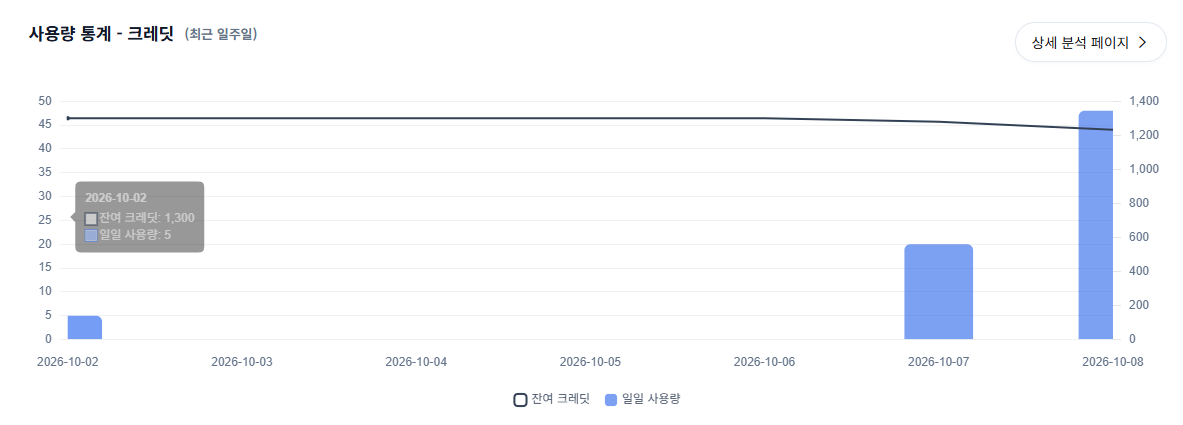
View daily credit usage over the past week and your remaining credits. Click Detailed Analysis to see more usage information.
3. Frequently asked customer question cards
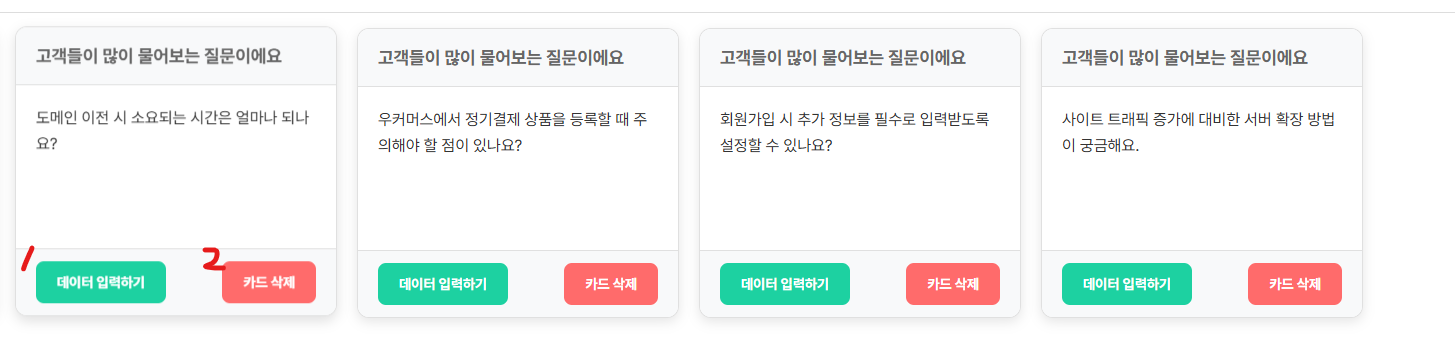
These cards are generated with AI by extracting and combining questions customers frequently ask.
Button 1 lets you enter data directly.
Button 2 deletes the card.
4. Easily train your chatbot
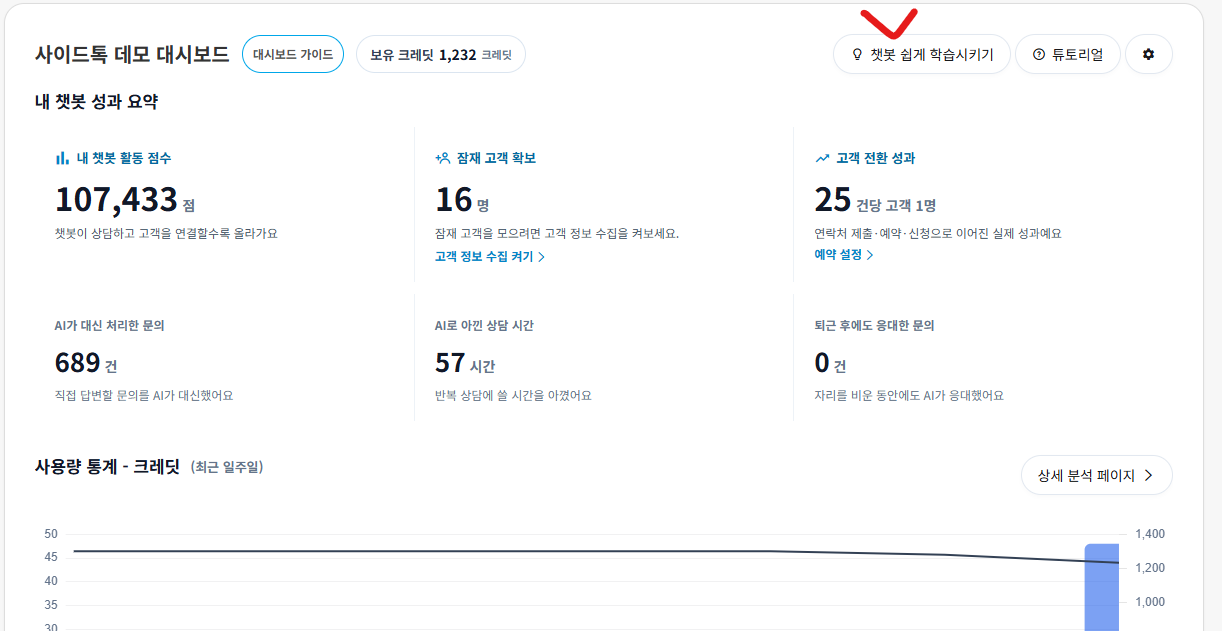
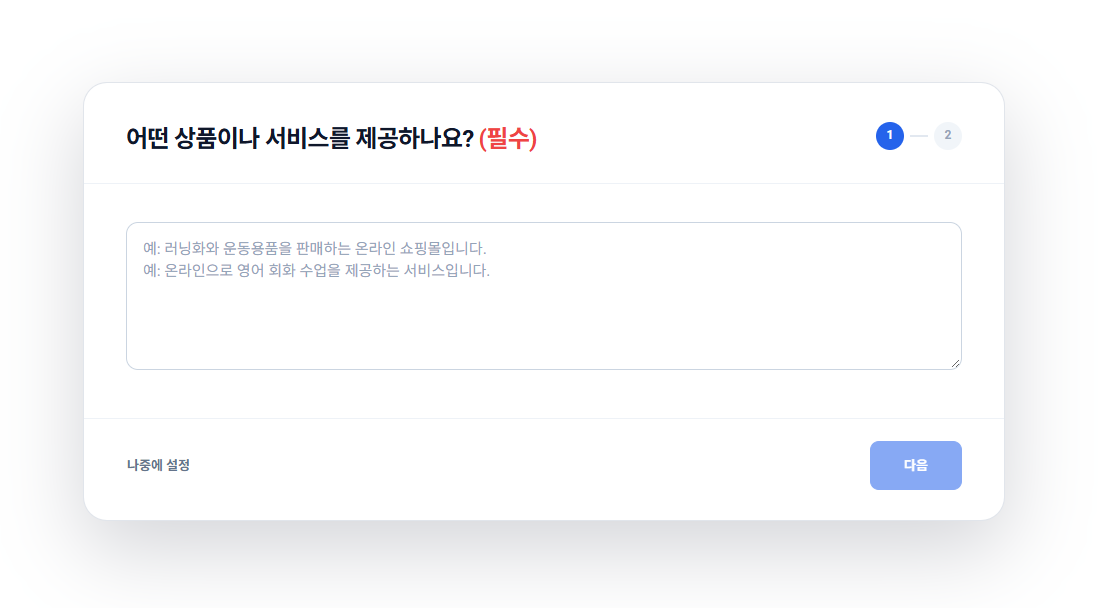
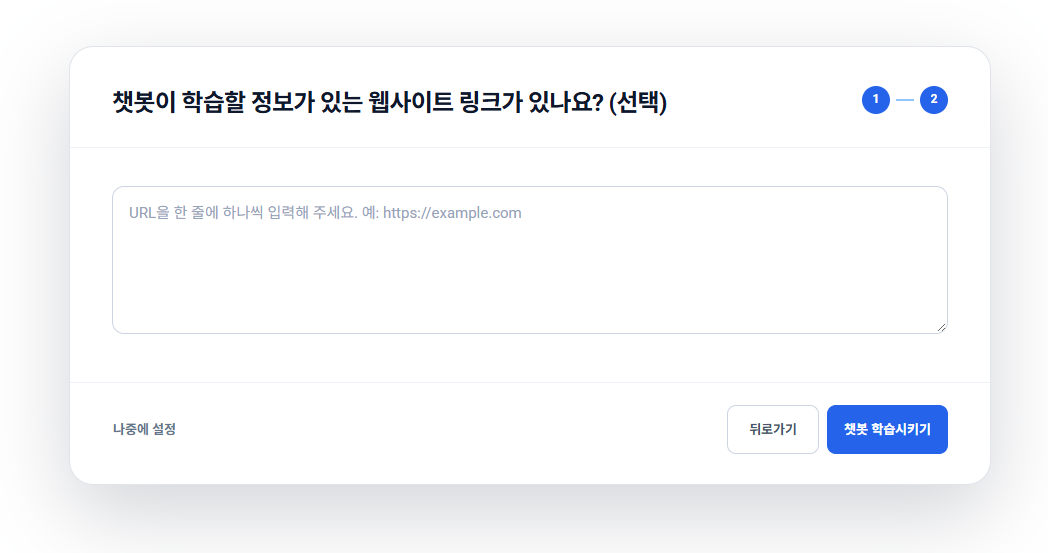
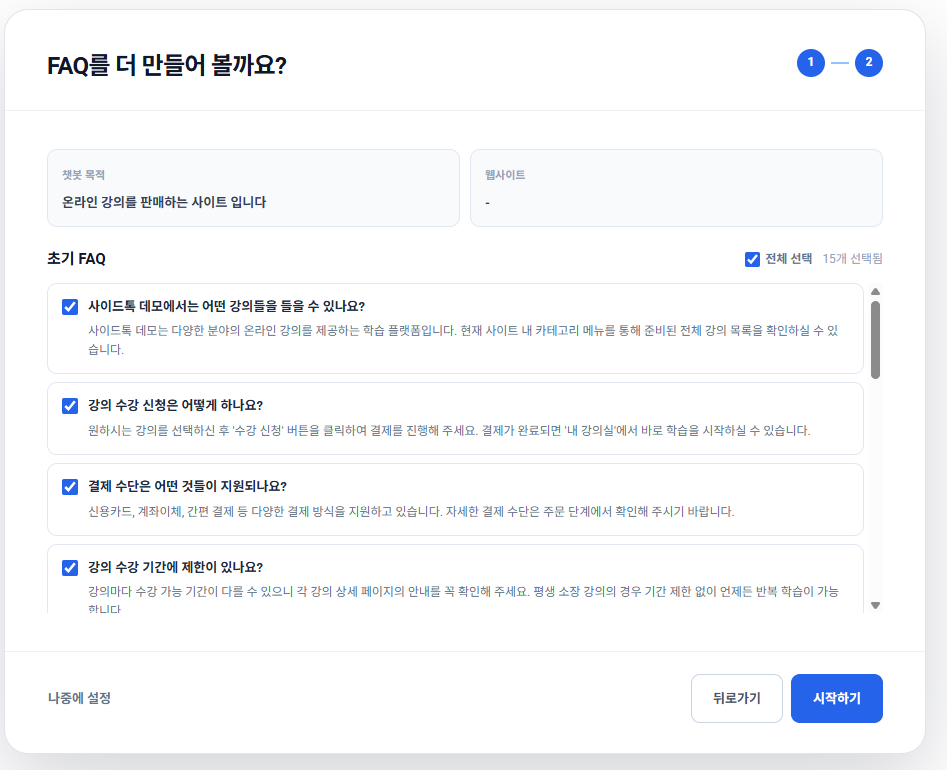
Enter a product or service introduction and a website link to learn from, and AI generates an initial FAQ. Review the generated questions and answers, select the entries to use, and click Get Started to complete chatbot setup.