
Add Notification action manual
See the manual below for basic information about AI agents.
The Add Notification action sends notifications to administrators when specified conditions occur.
Find the added notifications in Notifications in the Sidetalk dashboard.
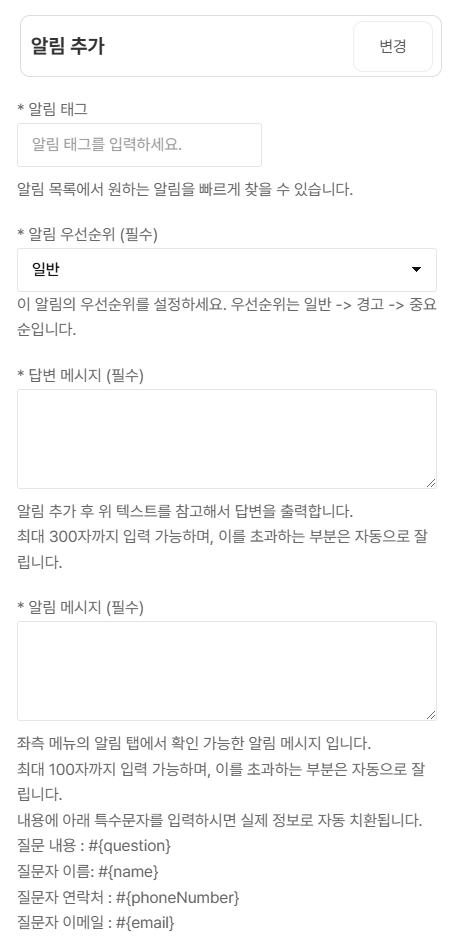
- Notification tag
- The tag for the notification to be added.
- Notification priority
- Set the importance of the notification. Available priorities are Normal, Warning, and Important.
- Answer message
- Enter answer content to reference when creating the notification. Up to 300 characters.
- Notification message
- Enter the notification message displayed in Notifications. Up to 100 characters. Use special placeholders to include user information automatically.
- Example: enter #{name} to include the questioner’s name. The name appears as a link on the notification page; clicking it opens the related conversation.